
PDCard logo PDCard Field NotesJapan ✦ PayPay ✦ Nigeria

Can someone in Japan send you money through PayPay?

JAPAN SENDER→PAYPAY→NAIRA PAYOUT

Yes, a sender in Japan may use PayPay as part of a PDCard supported transfer. If you are receiving Naira in Nigeria, the safe first move is simple: ask PDCard Customer Service for the current instructions before anyone pays.

🇯🇵 Japan sender🎧 Ask PDCard first🇳🇬 Naira after verification
01 / Picture the moment

A message from Japan lands in your inbox.

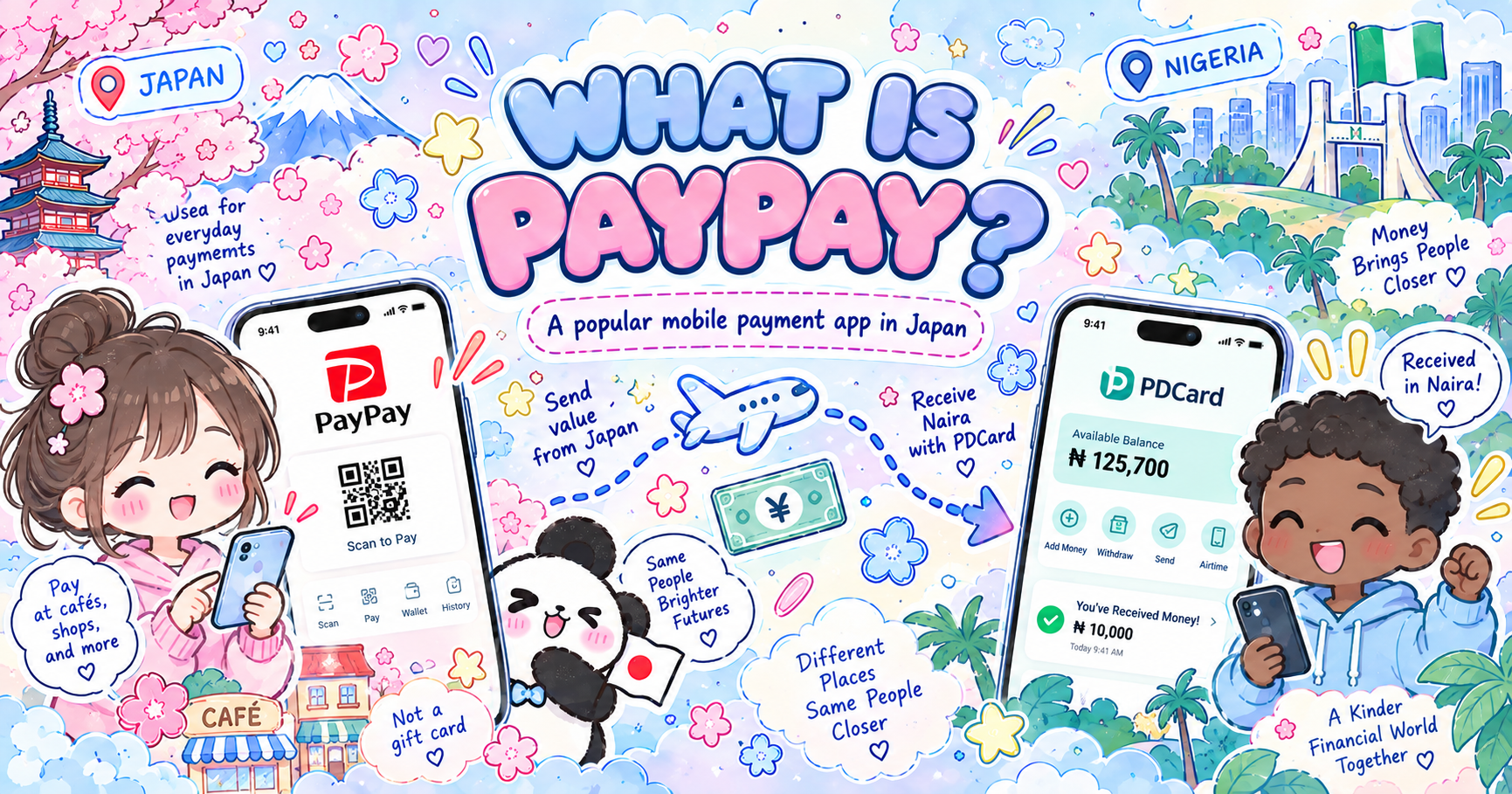
Your friend or family member uses PayPay in Japan. They want to send you value, while you want to receive Naira in Nigeria. It sounds like one quick tap, but the receiver information and proof requirements must be current for this transaction.

The sender uses PayPay. You do not need PayPay in Nigeria to begin; you need the official PDCard support route.
Related guide · reaching the right teamHow to Contact PDCard Online Support
Illustrated journey between a PayPay sender in Japan and a PDCard recipient in Nigeria
Two places, one thoughtful first step: confirm the route before the sender pays.Concept illustration; screens and amounts are examples, not live payment instructions.
02 / Know the payment method

What is PayPay, exactly?

PayPay is a mobile payment service widely used in Japan. People can use it for store purchases, online payments, QR code payments, and sending value to other users. That does not make a PayPay payment a gift card.

Mini window 01 · Explore PayPay

Tap a chip
A person in Japan can use PayPay to make eligible payments in stores.
PayPay is a payment service, not a gift card.
03 / Before any payment

Start at PDCard Customer Service.

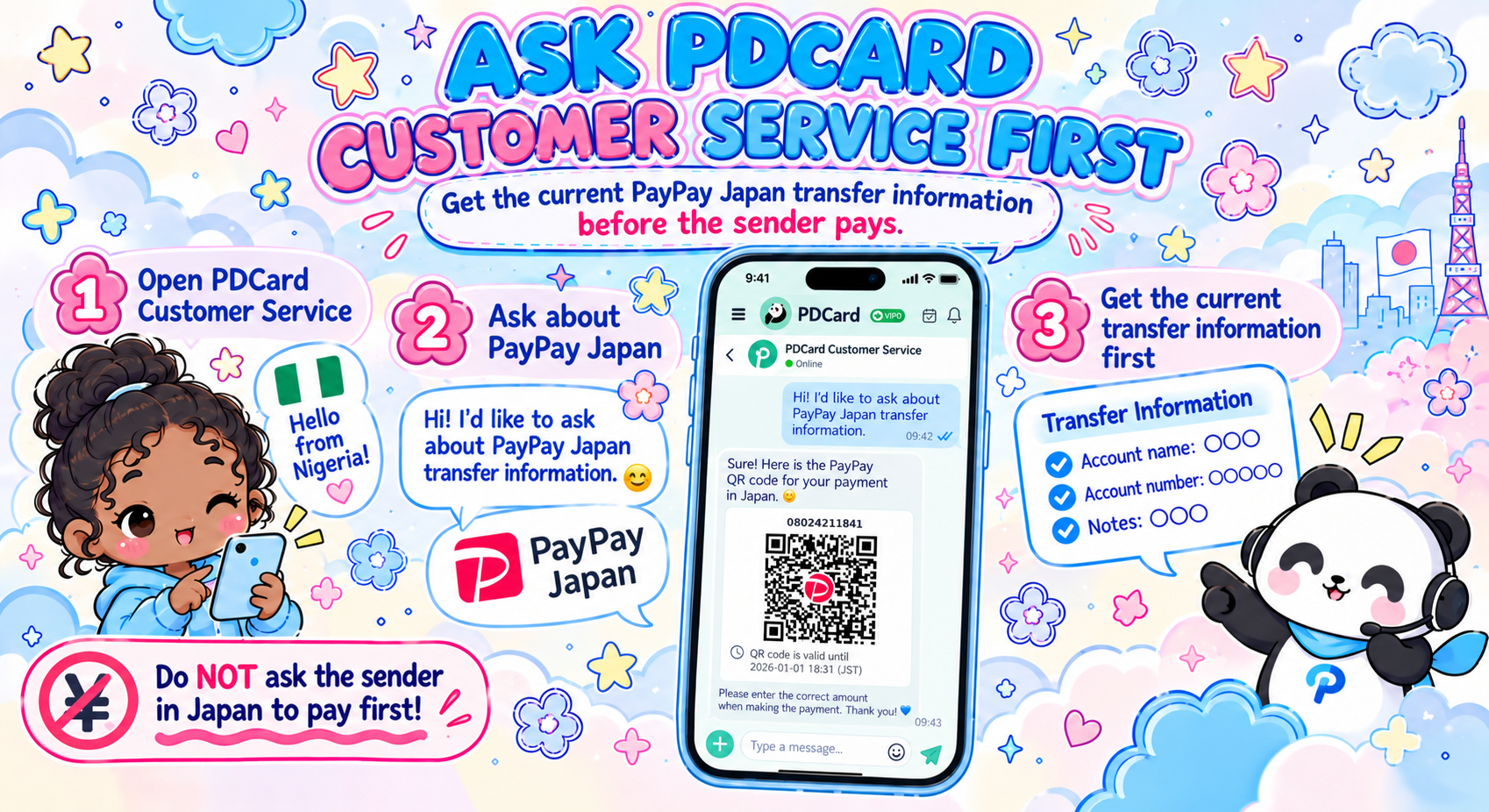
Tell the team that the sender is in Japan, they plan to use PayPay, and roughly how much they plan to send. PDCard can provide the current transaction information and explain the next step.

Ask first. Send second. ♡

If PayPay is not visible as an option in the app, do not select an unrelated gift card category. Ask Customer Service about PayPay Japan instead.

🎧 Your first message

“Hi! I have a sender in Japan who wants to use PayPay. The amount is approximately ____. Please share the current transfer instructions.”

Wait for their reply before sending any payment details.
Related guide · a different transfer, same check-first habitInterac e-Transfer to Naira: How to Send and Verify Payment With PDCard [2026]
Illustrated steps to ask PDCard Customer Service for current PayPay Japan transfer details
A quick question to Customer Service helps the sender use the right details for today.Concept illustration; QR art is decorative and must never be used to pay.
04 / Practice the sequence

Can you put the steps in the safest order?

Drag the cards, or tap two cards to swap them. The order matters because payment happens only after support has confirmed the current information.

Mini window 02 · Order the journey

Drag or tap to swap
    05 / Now the sender can pay

    The sender pays. You send the proof.

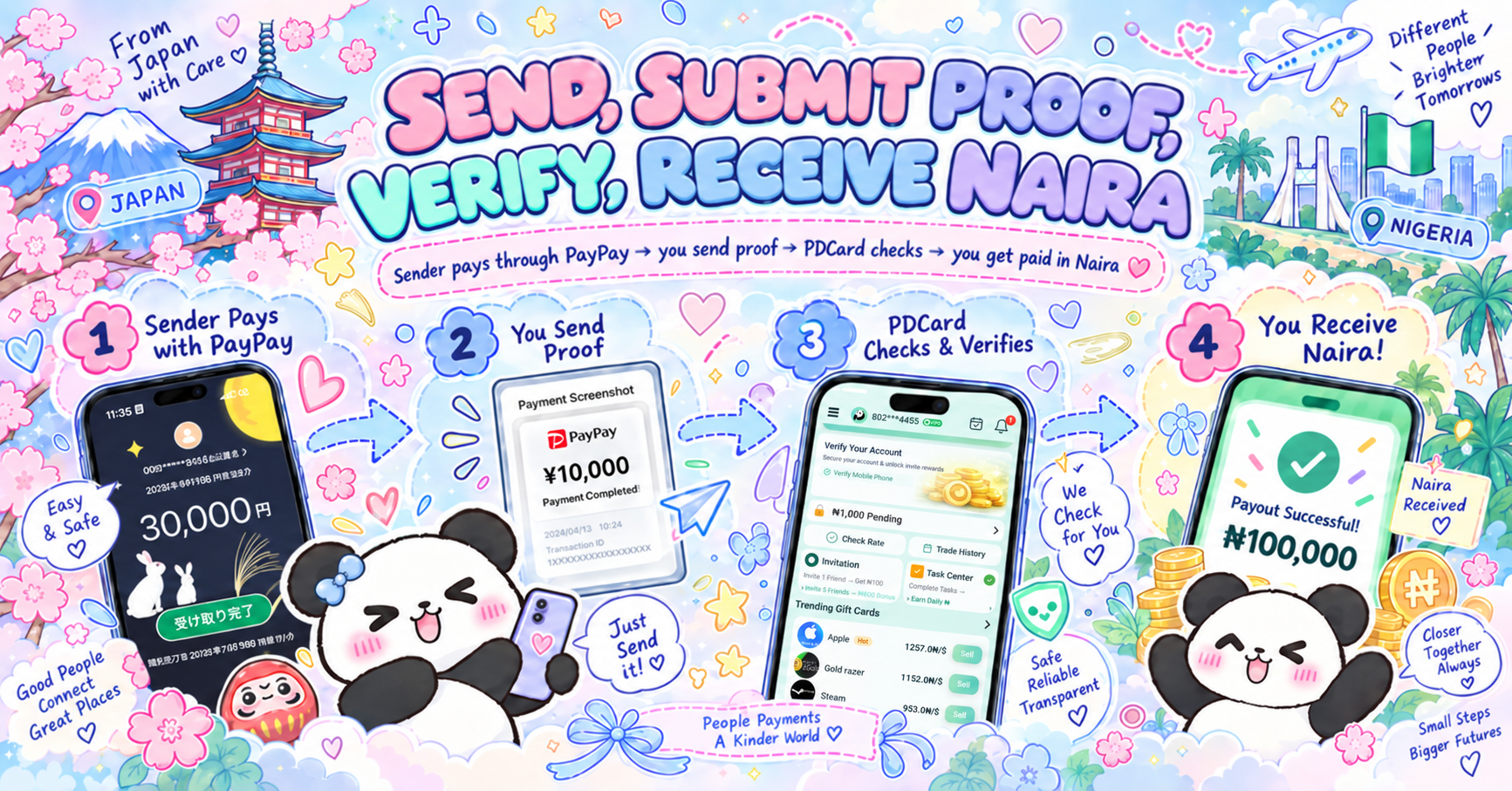
    After Customer Service shares the current instructions, pass the correct information to the sender in Japan. The sender makes the PayPay payment, then you send PDCard the payment screenshot and any transaction details the team requests, such as the amount and sender information.

    🎧AskContact official PDCard Customer Service.
    📋ConfirmUse current transaction information.
    📱Sender paysOnly after the details are confirmed.
    🧾Submit proofSend this transaction’s evidence.
    🔎VerifyPDCard checks the payment.
    ₦ReceiveNaira payout follows verification.

    Mini window 03 · Open the transfer scene

    Tap to reveal

    See how all six pieces connect in one small scene.

    🇯🇵Japan sender
    🎧PDCard support
    ▦Current info
    🧾Payment proof
    🔎Verification
    ₦Naira payout

    Illustrative QR pattern only. The sender should use the live transaction details supplied by PDCard Customer Service, never a code or image from this article.
    Related guide · another country, same need for current detailsHow to Receive Money From Australia in Nigeria Using PayID and PDCard [2026]
    Illustrated sequence of sender payment, proof submission, PDCard verification, and Naira payout
    Proof starts the review; PDCard’s confirmation is the bridge to your Naira payout.Concept illustration; displayed amounts and app screens are examples only.
    06 / The checkpoint that matters

    A screenshot is a clue, not confirmation.

    The sender’s screenshot helps PDCard review the transaction. It does not automatically show that PDCard has received and verified the payment. Keep the transaction record available and follow any further support instructions.

    Screenshot sent ≠ payment verified

    Use fresh details for this transaction.

    No old screenshots
    No old receiving details
    No one else’s information
    No previous transaction proof
    ✿
    Do not ask the sender to pay first, choose an unrelated gift card, or reuse information from an old chat. Confirm the current PayPay Japan process with PDCard.
    Related guide · another payment method’s verification checksA Simple Guide to Trading PayPal for Naira With PDCard [2026]
    07 / After PDCard verifies

    And then, Naira. ✿

    Once PDCard has verified the payment, the Naira payout can follow. The timing and any additional checks depend on the current transaction instructions from Customer Service.

    Try the last little interaction as a reminder of the real sequence. It is a celebration of the verified step, not a live payment status.

    Ready for the happy ending?

    Tap only after the story reaches verification.

    Payment verified ✓Naira received ₦ ✿Illustrative completion state
    One last look

    The whole route, in one breath.

    Your sender is in Japan and uses PayPay. You are in Nigeria and want Naira. Contact PDCard Customer Service first, get the current transfer information, let the sender pay, submit this transaction’s proof, and wait for PDCard to verify before payout.

    Japan sender→PayPay→PDCard Customer Service first→Current info→Sender pays→Submit proof→PDCard verifies→Naira payout
    ✦ Your next step

    Everything you need is right here.

    Save this flow, open the PDCard app, or reach the community directly. The CTA stays in the article, so you do not need to open a separate Worker page first.

    ✿ PDCard next steps

    Get the app. Find support. Stay connected.

    Choose the action that matches your next move.